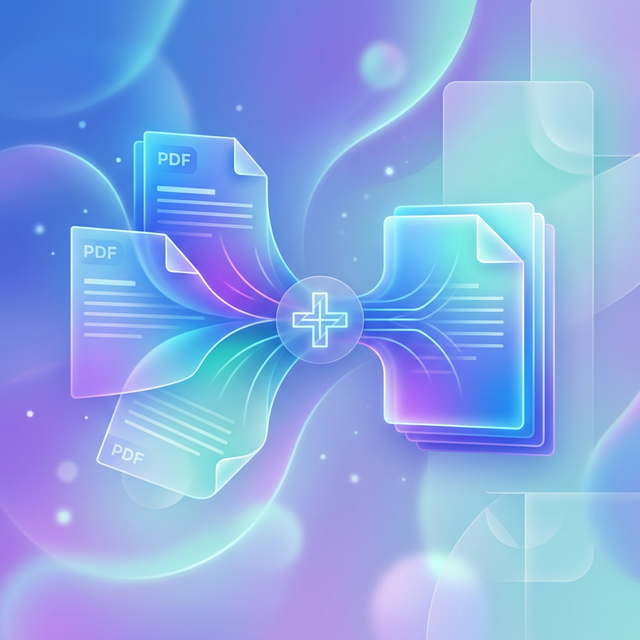
The Ultimate Guide to the Best Free PDF Merging Tools in 2024
In our increasingly digital world, the Portable Document Format (PDF) has become the universal language for sharing documents. Whether you’re a student compiling research papers, a freelancer organizing invoices, or a professional preparing a board presentation, you’ve likely faced the challenge of having information scattered across multiple PDF files.
The solution? A PDF merger. But with hundreds of options available online, how do you choose one that is fast, free, and—most importantly—secure?
In this comprehensive review, we’ve tested and ranked the top 7 free PDF merging websites and software for 2024. We’ll look at the pros and cons of each, with a special focus on security and data privacy.
1. iLovePDF: The Feature-Packed Powerhouse
iLovePDF is often the first name that comes to mind when people think of online PDF tools. It’s a veteran in the space and has built a massive following by offering a clean, simple, and reliable platform. Visit iLovePDF.
Why it’s Great:
iLovePDF is incredibly fast. You can drag and drop dozens of files, and within seconds, they are combined into a single document. It also integrates seamlessly with Google Drive and Dropbox, making it a favorite for those who work primarily in the cloud.
- Pros: Fast processing, excellent mobile interface, great cloud integration, and a huge selection of secondary tools (split, compress, convert).
- Cons: Files are uploaded to their servers (privacy risk), the free tier has file size limits, and you’ll run into advertisements on the site.
2. Knicknaks PDF Merger: The Privacy Champion
If you are working with sensitive documents—think bank statements, medical records, or legal contracts—the Knicknaks PDF Merger is your best bet. It was designed with a “Privacy First” philosophy.
Launch Secure PDF Merger & Organizer↗Why it’s Unique:
Unlike almost every other “online” tool, Knicknaks is a purely client-side application. When you select your files, they never leave your computer. The merging logic happens inside your browser’s dedicated memory.
- Pros:
- 100% Secure: No data is ever uploaded to a server. Your privacy is guaranteed by design.
- Instant Performance: No waiting for files to upload or download from a remote server.
- Unlimited Use: No daily task limits, no file size caps (other than your computer’s RAM), and no forced account creation.
- Simple UI: Easily drag files to reorder them before merging.
- Cons:
- Browser Bound: Since it processes locally, very old computers might struggle with extremely large (1GB+) files.
- Offline Only: You cannot “import” files from Google Drive; they must be on your local device.
3. Smallpdf: The Most Beautiful Interface
Smallpdf prides itself on being the user-friendly alternative to clunky PDF software. If you value a “premium” feel and a design that guides you through every step, Smallpdf is hard to beat. Check out Smallpdf.
The Experience:
The interface is vibrant and minimal. It handles complex PDF layouts with high fidelity, ensuring that your fonts and formatting stay exactly as they were in the original documents.
- Pros: Stunning user interface, extremely high-quality output, and useful secondary features like e-signing.
- Cons: Very restrictive free tier (limited to 2 tasks per day), frequent “Upgrade to Pro” prompts, and your files are processed on their cloud servers.
4. PDF24 Tools: The “No Limits” Web Suite
Hailing from a team of German developers, PDF24 is a beast of a tool. It offers a massive suite of utilities for free, including a web version that feels suspiciously like a desktop application. Explore PDF24.
Why Power Users Love It:
PDF24 doesn’t play games with “free tier” limits. While other sites might cut you off after three merges, PDF24 lets you keep going. They also offer a desktop version for those who want to work completely offline.
- Pros: Completely free with no hidden limits, privacy-focused reputation, and handles batch processing excellently.
- Cons: The design is functional but dated, and the web interface can feel a bit cluttered compared to the sleeker competition.
5. Sejda PDF: The Precision Editor
Sejda is more than just a merger; it’s a full-blown PDF editor. It is perfect if you don’t just want to combine two files, but also want to cherry-pick specific pages or redact information before you save the final product. Try Sejda.
Advanced Control:
Sejda’s merging interface allows you to expand your documents and see every page as a thumbnail. You can remove unwanted pages, rotate individual ones, and even merge files in “alternate” mode (helpful for combining scanned front and back pages).
- Pros: Visual page-level control, powerful editing features, and clear privacy policies (files are deleted after 2 hours).
- Cons: Free tier limits you to 3 tasks per hour/day and files under 50MB.
6. PDFsam Basic: The Open Source Software
For those who prefer a dedicated program over a website, PDFsam Basic (Split and Merge) is the gold standard for free, open-source software. Download PDFsam.
The Offline Advantage:
Because it’s a program you install on your computer (Windows, Mac, or Linux), it offers the ultimate in Operational Security (OpSec). It never touches the internet, so your files remain 100% local.
- Pros: Completely offline, open-source (transparent), unlimited file sizes, and no ads.
- Cons: Requires software installation and a Java runtime environment. The feature set is strictly limited to splitting and merging.
7. Adobe Acrobat Online: The Official Standard
As the inventors of the PDF format, Adobe’s online tools are the benchmark for compatibility. While the full Adobe suite is expensive, their online web portal offers free basic merging to help users get a taste of the Acrobat ecosystem. Use Adobe Acrobat Online.
The Gold Standard:
If you have a PDF that is breaking other tools—perhaps it has complex 3D elements or high-resolution graphics—Adobe is the tool that will handle it without breaking a sweat.
- Pros: Unrivaled compatibility, extremely stable, and built by the industry leaders.
- Cons: Requires an account (sign-in) to download merged files, heavy marketing for their paid subscriptions, and extensive tracking.
SEO Tip: When looking for a PDF merger, always check if the site uses SSL (the padlock icon in your browser) and read their data retention policy. If you’re dealing with sensitive info, remember: Local is always safer than Cloud.
Summary Comparison Table
| Tool | Privacy Level | File Limits | Installation | Link |
|---|---|---|---|---|
| iLovePDF | Cloud (Low) | High | No | iLovePDF |
| Knicknaks | Local (High) | High | No | Knicknaks |
| Smallpdf | Cloud (Low) | Very Low | No | Smallpdf |
| PDF24 | Cloud/Local | None | Optional | PDF24 |
| Sejda | Cloud (Medium) | Medium | Optional | Sejda |
| PDFsam | Local (High) | None | Yes | PDFsam |
| Adobe | Cloud (Medium) | High | No | Adobe |
Final Recommendation
- For Speed & Privacy: Go with Knicknaks PDF Merger. It’s the fastest way to combine files without ever risking your data on a server.
- For Batch Cloud Workflow: iLovePDF is the most convenient choice for moving files between cloud storage services.
- For Massive Offline Jobs: PDFsam Basic is the best choice if you have gigabytes of sensitive data and want a dedicated desktop tool.
Whatever your choice, merging PDFs has never been easier or more accessible. Use the tools above to streamline your workflow and keep your digital life organized!